You do not need an expensive computer, paid software, or a complicated setup to begin programming. Many of the tools used by professional developers have capable free versions, and several run entirely in a browser.
This guide organizes the most useful free tools for programmers by purpose. Instead of installing everything at once, you will learn how to choose one editor, one practice environment, a version-control workflow, a simple database, and reliable places to find help.
What a Beginner Actually Needs
A practical starter toolkit has five parts:
- A code editor or integrated development environment.
- A way to run code locally or online.
- A practice platform with small exercises.
- Version control to save project history.
- Documentation and a community for solving problems.
Everything else can be added when a project creates a real need. Too many extensions and platforms can distract you from learning syntax and problem solving.
1. Visual Studio Code
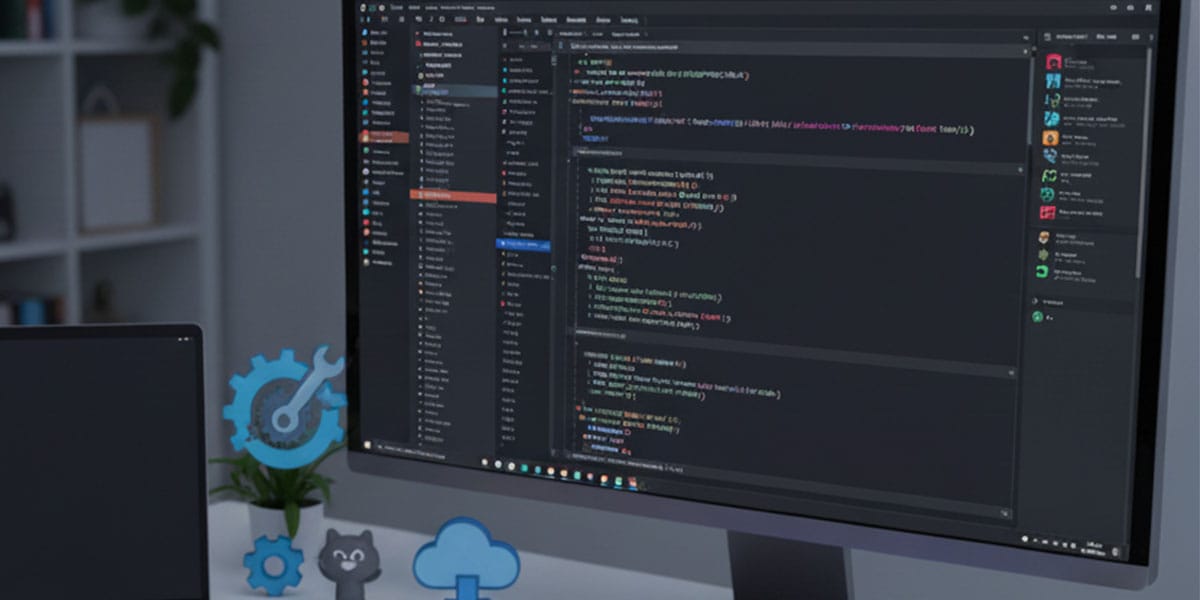
Visual Studio Code is a free, cross-platform editor that supports many languages through extensions. It includes an integrated terminal, debugging tools, Git support, code completion, and workspace settings.
For Python, install Python first, then add the official Python extension. Select the correct interpreter from the editor, especially when using a virtual environment.
print("Hello, programming!")Run the file from the integrated terminal:
python app.pyKeep extensions limited at first. Syntax highlighting, Python support, and a formatter are enough. The official VS Code documentation explains installation, terminals, debugging, and source control.
2. PyCharm Community Edition
PyCharm Community is a free Python-focused IDE. It provides project creation, interpreter management, refactoring, debugging, test running, and code navigation. It is a good choice when you want an environment designed specifically around Python.
Compared with VS Code, PyCharm usually feels more complete immediately but can use more system resources. Try both and choose the one that keeps you focused. You do not need to learn two editors simultaneously.
3. Browser-Based Coding Environments
Online environments are convenient when you cannot install software, use a school computer, or want to share a small example.
Google Colab
Google Colab provides hosted notebooks for Python. It is useful for data analysis, visualization, experiments, and lessons that mix text with executable code. The guide comparing Google Colab and Jupyter Notebook explains privacy, files, collaboration, and offline work.
Jupyter Notebook and JupyterLab
Jupyter runs locally and lets you combine Markdown, code, output, and charts. It is popular in data science and education. Use it for exploration, but move reusable logic into normal Python modules as a project grows.
Replit and Other Online Editors
Browser IDEs can create and run small projects without local configuration. Free-plan limits and features can change, so review the platform’s current terms before depending on it for long-term hosting. Do not place private keys in public projects.
4. Git for Version Control
Git records changes to files. It lets you return to a working version, compare edits, create branches, and collaborate without emailing copies such as project-final-final2.py.
git init
git add .
git commit -m "Create first working version"
Before the first commit, create a .gitignore file so virtual environments, generated files, local databases, and secrets are not tracked.
.venv/
__pycache__/
.env
*.log
The official Git documentation includes a free reference and book.
5. GitHub for Hosting and a Portfolio
GitHub hosts Git repositories and adds issue tracking, code reviews, project boards, documentation pages, and automation. A beginner portfolio does not need dozens of repositories. Three small, finished, well-documented projects are more useful than many abandoned experiments.
A clear repository should contain:
- A descriptive name.
- A README explaining the problem and how to run the project.
- A dependency file when external packages are used.
- Example input and output.
- No passwords, tokens, or personal data.
6. Practice Platforms
Small exercises build fluency, but they should complement projects rather than replace them.
Exercism
Exercism offers language tracks and exercises focused on readable solutions. Community feedback can help beginners compare approaches.
HackerRank
HackerRank provides challenges in programming, SQL, algorithms, and other areas. Start with easy tasks and explain your solution in your own words after it passes.
LeetCode
LeetCode is widely used for algorithm practice and technical interviews. Beginners should not measure their overall programming ability only by these problems. Real development also involves design, debugging, testing, documentation, and tools.
The Python exercises with solutions provide another structured practice path.
7. Free Databases
SQLite
SQLite stores a complete relational database in a file and is included with Python. It is excellent for learning SQL, small desktop tools, prototypes, tests, and local applications.
import sqlite3

with sqlite3.connect("tasks.db") as connection:
    connection.execute("""
        CREATE TABLE IF NOT EXISTS tasks (
            id INTEGER PRIMARY KEY,
            title TEXT NOT NULL,
            done INTEGER NOT NULL DEFAULT 0
        )
    """)
    connection.execute(
        "INSERT INTO tasks (title) VALUES (?)",
        ("Learn Git basics",),
    )

    for row in connection.execute("SELECT id, title, done FROM tasks"):
        print(row)
MySQL and PostgreSQL
Both have free community editions and are common in web and business applications. Start with SQLite to learn tables and queries, then move to a server database when you need multiple users, network access, permissions, or production architecture. The Python and MySQL guide covers secure CRUD operations.
8. Python Virtual Environments and pip
These tools are included with standard Python installations. A virtual environment isolates project packages, while pip installs dependencies.
python -m venv .venv
source .venv/bin/activate  # macOS/Linux
# .venv\Scripts\activate   # Windows
python -m pip install requests
Use the complete venv tutorial to configure Windows, macOS, Linux, and VS Code.
9. Free Libraries
Python’s ecosystem provides reusable packages for web development, automation, data science, testing, and more. Begin with the standard library and add external packages only when they solve a defined problem.
- Requests: straightforward HTTP requests.
- Beautiful Soup: HTML parsing for appropriate scraping tasks.
- NumPy: numerical arrays and calculations.
- Pandas: table-shaped data analysis.
- Matplotlib: static charts.
- Pytest: automated testing.
Learn how packages, imports, and trusted dependencies work in the Python libraries guide.
10. Documentation and Search
Documentation is not a last resort. It is part of daily programming. Start with the official documentation for the language, framework, or library. Read function signatures, parameter descriptions, return values, exceptions, and examples.
The official Python documentation includes the tutorial, language reference, standard-library reference, setup instructions, and FAQs. Search for the exact exception message and include the library name, but verify old answers against current official docs.
11. Communities
Stack Overflow, language forums, local groups, Discord communities, and focused subreddits can help when a question is well prepared. Before posting:
- Reduce the code to the smallest example that still fails.
- Copy the complete error message as text.
- Explain what you expected and what happened.
- List the Python and package versions when relevant.
- Remove credentials and private information.
A clear question often reveals the solution before you publish it.
12. Diagrams and Project Organization
Simple diagram tools can help you sketch a flowchart, database relationship, or interface before coding. Draw.io is useful for diagrams, while Trello or GitHub Projects can organize tasks. Do not turn planning into procrastination: a small checklist is enough for a small project.
A Recommended Beginner Setup
For a first Python project, use this minimal stack:
- Python from the official distribution.
- VS Code or PyCharm Community.
- A project-specific
.venv. - Git with a local repository.
- GitHub when you are ready to share.
- SQLite if the project needs storage.
- Pytest when the project has reusable logic.
This setup is enough to build a command-line expense tracker, task manager, contact book, file organizer, or small data analysis.
A Four-Week Learning Workflow
Week 1: Editor and Fundamentals
Install Python and one editor. Practice variables, conditions, loops, functions, input, and output. Use the programming logic guide as a structured foundation.
Week 2: Small Exercises
Solve one or two exercises daily. Keep solutions in one Git repository and write short notes about mistakes.
Week 3: First Project
Build a small project that reads input, validates it, stores data, and displays useful output. Split logic into functions.
Week 4: Tests and Documentation
Add a README, requirements file, basic tests, and clear setup steps. Publish the cleaned repository.
Common Tool Mistakes
- Installing many extensions before learning the editor.
- Switching languages every week.
- Copying code without running small experiments.
- Committing secret keys or the entire virtual environment.
- Using online environments for confidential data.
- Practicing only interview puzzles and never finishing projects.
- Ignoring error messages and reinstalling everything immediately.
Frequently Asked Questions
Which editor is best for a beginner?
VS Code is flexible and lightweight; PyCharm Community provides a more Python-focused experience. Test both briefly and commit to one.
Can I learn without installing anything?
Yes, browser notebooks and online IDEs are enough for early lessons, though a local environment teaches important project and dependency skills.
Is Git too advanced for beginners?
No. Learning init, status, add, commit, and log early prevents lost work and builds good habits.
Do I need a paid database?
No. SQLite, MySQL Community, and PostgreSQL cover a wide range of learning and real project needs.
How many tools should I learn at once?
One editor, one language, Git basics, and the tools required by your current project are enough.
Conclusion
The best free tool is the one that helps you practice consistently. Start with a simple editor, run code locally or in a browser, save progress with Git, consult official documentation, and build small projects. Add databases, libraries, testing, and collaboration tools gradually as your needs become clear.