User interfaces, charts, imaging utilities, and design systems often need to transform a color between different representations. Python colorsys provides bidirectional conversions between RGB and HSV, HLS, and YIQ using only the standard library.
The module is small, but its scale matters: most components are floating-point values between zero and one. It also does not manage ICC profiles, gamma, Lab spaces, alpha channels, or perceptual color differences. This guide explains normalization, palette generation, hue rotation, saturation and brightness changes, validation, testing, and professional color-management limits.
It complements our guides to Decimal, fractions, statistics, filecmp, and mimetypes.
Available color models
The module converts RGB to three coordinate systems:
- HSV: hue, saturation, and value;
- HLS: hue, lightness, and saturation;
- YIQ: luminance plus two chrominance components.
Inverse functions convert each model back to RGB.
Normalized component scale
RGB, HSV, and HLS components normally range from zero to one. This differs from common 8-bit RGB, whose components range from zero to 255.
def rgb_255_to_unit(r, g, b):
    return r / 255, g / 255, b / 255


def rgb_unit_to_255(r, g, b):
    return tuple(round(c * 255) for c in (r, g, b))
Normalize values at the input boundary and convert back to integers only at the output boundary.
RGB to HSV
import colorsys

rgb = rgb_255_to_unit(51, 102, 102)
h, s, v = colorsys.rgb_to_hsv(*rgb)
print(h, s, v)
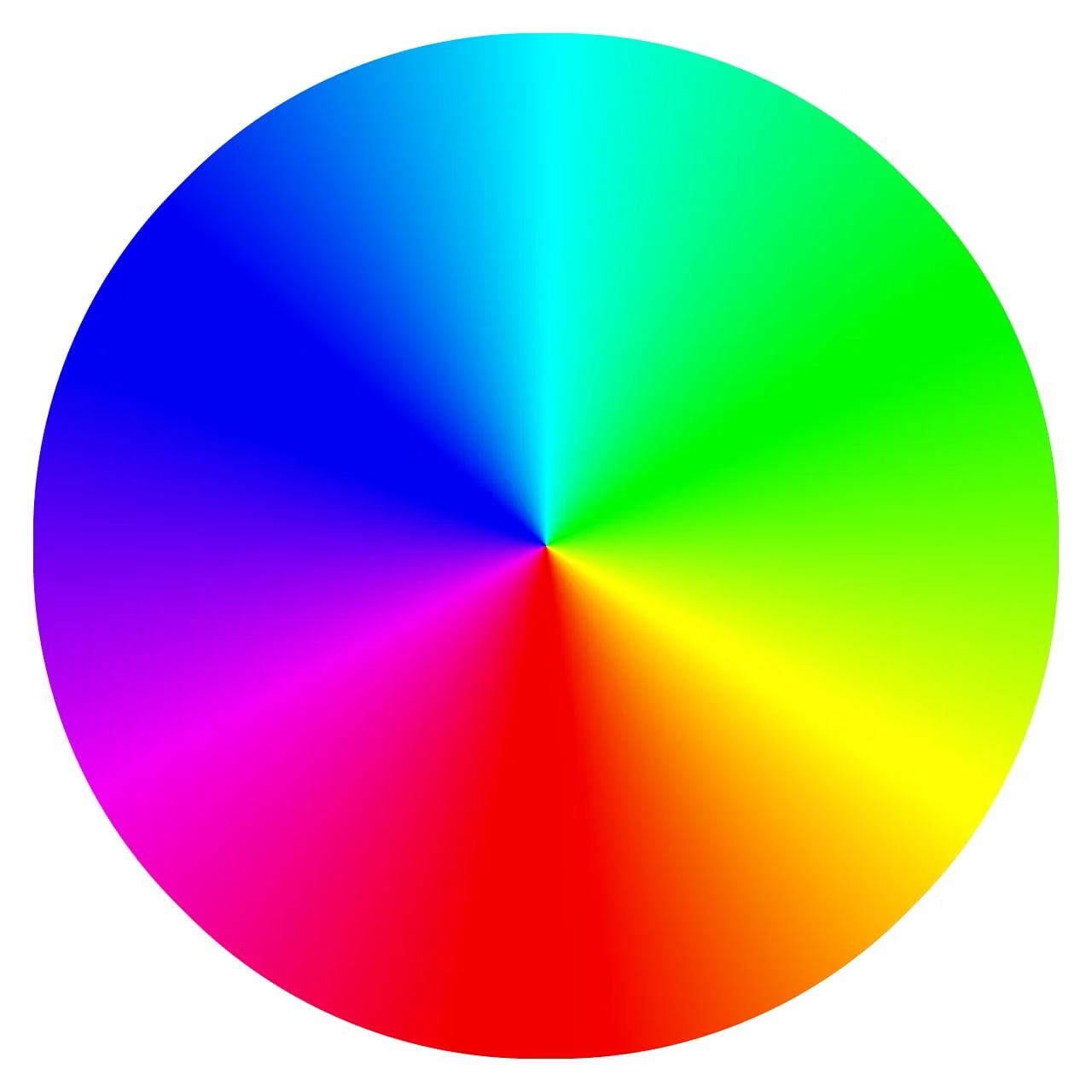
Hue represents a position on a color circle, saturation represents color intensity, and value is based on the largest RGB component.
HSV to RGB
r, g, b = colorsys.hsv_to_rgb(h, s, v)
print(rgb_unit_to_255(r, g, b))
A round trip can produce tiny differences because of floating-point representation and later rounding to 8-bit integers.
Hue is circular
Hue wraps around: zero and one represent the same direction. Use modulo arithmetic for rotations.
new_h = (h + 30 / 360) % 1.0Adding 30 degrees means adding 30/360 in the normalized scale.
Generating a hue palette
def palette(start_h, count):
    colors = []
    for index in range(count):
        h = (start_h + index / count) % 1.0
        colors.append(colorsys.hsv_to_rgb(h, 0.7, 0.9))
    return colors
This distributes hues evenly, but equal angular spacing does not guarantee equal perceived difference, text contrast, or accessibility.
Changing saturation
def change_saturation(rgb, factor):
    h, s, v = colorsys.rgb_to_hsv(*rgb)
    s = min(1.0, max(0.0, s * factor))
    return colorsys.hsv_to_rgb(h, s, v)
A factor of zero produces gray. Larger factors increase chroma until the normalized limit. Validate whether clipping is acceptable for the application.
Changing value
def change_value(rgb, delta):
    h, s, v = colorsys.rgb_to_hsv(*rgb)
    v = min(1.0, max(0.0, v + delta))
    return colorsys.hsv_to_rgb(h, s, v)
HSV value is not perceptual luminance. Increasing it does not create the same perceived brightness change for every color.
RGB to HLS
h, l, s = colorsys.rgb_to_hls(*rgb)Notice the order: the function returns H, L, S. Many web tools use the acronym HSL and show hue, saturation, lightness. Mixing the component order creates incorrect colors.
Changing lightness
def lighten_hls(rgb, amount):
    h, l, s = colorsys.rgb_to_hls(*rgb)
    l = min(1.0, l + amount)
    return colorsys.hls_to_rgb(h, l, s)
HLS can be convenient for light and dark variants, but it is not perceptually uniform either.
HSV versus HLS
HSV uses value while HLS uses lightness. The models reorganize RGB differently. A saturation of 100 percent in HLS does not have exactly the same visual meaning as 100 percent in HSV.
Choose according to the operation: HSV is common for pickers and intensity controls, while HLS may feel more intuitive for light and dark variants.
The YIQ model
YIQ was used in NTSC television. Y represents approximate luminance, while I and Q carry chrominance information.
y, i, q = colorsys.rgb_to_yiq(*rgb)
r, g, b = colorsys.yiq_to_rgb(y, i, q)
Y stays between zero and one, but I and Q can be positive or negative. Do not apply a zero-to-one clamp to those two components.
Hexadecimal colors
def hex_to_rgb(color):
    value = color.lstrip("#")
    if len(value) != 6:
        raise ValueError("use #RRGGBB")
    return tuple(int(value[i:i+2], 16) / 255 for i in (0, 2, 4))


def rgb_to_hex(rgb):
    r, g, b = rgb_unit_to_255(*rgb)
    return f"#{r:02X}{g:02X}{b:02X}"
Validate the accepted format and decide explicitly whether abbreviated notation or alpha components are allowed.
Safe clamping
def clamp(value, minimum=0.0, maximum=1.0):
    return min(maximum, max(minimum, value))
Clamping is appropriate after controlled arithmetic. It should not silently hide malformed API input when an exception would be more useful.
Floating-point precision
Values such as 0.30000000000000004 are normal in binary floating-point. Compare with tolerance.
import math

assert math.isclose(restored, original, abs_tol=1e-9)
Keep floats throughout the pipeline and round once when producing 8-bit output.
Achromatic colors
When saturation is zero, hue has no visible meaning. The conversion still returns a numeric value, commonly zero.
A color picker that remembers user intent may need to store the previous hue separately so it reappears when saturation increases.
Alpha is not supported
colorsys works with three components. Preserve alpha outside the conversion.
r, g, b, a = rgba
h, s, v = colorsys.rgb_to_hsv(r, g, b)
# keep a unchanged
Gamma and RGB spaces
Typical display values are encoded in sRGB with a transfer curve. Colorsys applies formulas directly to the numbers supplied. It does not linearize sRGB or convert ICC profiles.
For physical blending, lighting, print production, and scientific imaging, use a library that handles gamma and color management.
Contrast and accessibility
Different HSV hues do not guarantee adequate text contrast. Calculate contrast using accessibility formulas and test color-vision deficiencies, light themes, and dark themes.
Do not communicate state through hue alone. Combine color with text, icons, shape, or patterns.
Complementary color
def complementary(rgb):
    h, s, v = colorsys.rgb_to_hsv(*rgb)
    return colorsys.hsv_to_rgb((h + 0.5) % 1.0, s, v)
The mathematically opposite hue may not be the best design choice. Treat it as a starting point and validate contrast.
Analogous colors
def analogous(rgb, degrees=30):
    h, s, v = colorsys.rgb_to_hsv(*rgb)
    offset = degrees / 360
    return [
        colorsys.hsv_to_rgb((h - offset) % 1, s, v),
        rgb,
        colorsys.hsv_to_rgb((h + offset) % 1, s, v),
    ]
Processing many colors
The module performs scalar conversions. Python loops can be slow for millions of pixels. Vectorized array or imaging libraries are better for full images.
For themes, palettes, configuration, and small graphics tools, the standard-library simplicity is valuable.
Round-trip testing
def test_hsv_round_trip():
    original = (0.2, 0.4, 0.7)
    hsv = colorsys.rgb_to_hsv(*original)
    restored = colorsys.hsv_to_rgb(*hsv)
    for a, b in zip(original, restored):
        assert math.isclose(a, b, abs_tol=1e-9)
Test black, white, grays, primary colors, boundary values, and values close to zero and one.
Input validation
def validate_rgb(rgb):
    if len(rgb) != 3:
        raise ValueError("RGB requires three components")
    if not all(0.0 <= c <= 1.0 for c in rgb):
        raise ValueError("component outside range")
Reject NaN and infinity with math.isfinite(), because those values can propagate through an entire palette.
Common mistakes
- Passing 0-to-255 components without normalization.
- Confusing HLS component order with an HSL API.
- Clamping YIQ I and Q to zero through one.
- Rounding at every stage.
- Discarding alpha accidentally.
- Using HSV as a perceptual brightness model.
- Ignoring profiles and gamma in professional workflows.
- Relying on hue alone for accessibility.
Best practices
- Normalize at application boundaries.
- Keep floating-point values during calculations.
- Wrap hue with modulo.
- Validate finiteness and ranges.
- Preserve alpha separately.
- Measure contrast independently.
- Use vectorized libraries for large images.
- Document the model and scale of every function.
Conclusion
Python colorsys provides straightforward conversions between RGB, HSV, HLS, and YIQ. It is ideal for palettes, themes, small graphical tools, and configuration transformations.
Use it with a clear understanding of its limits: values are normalized, the models are not perceptually uniform, and there is no profile, gamma, or alpha management. Consult the official colorsys documentation and the W3C contrast guidance for more robust interface design.