Visual Studio Code is still one of the best code editors for Python developers in 2026. It is lightweight, customizable, and packed with powerful tools. But the real magic happens when you install the right extensions.
Good VS Code extensions can improve your workflow, help you write cleaner code, find bugs faster, and save hours every week. Whether you are a beginner or an experienced developer, choosing the right setup matters.
In this guide, you will discover the best VS Code extensions for Python developers in 2026. You will also learn what each extension does, why it matters, and how it can improve your coding experience.
If you are still learning the basics of Python, you may also enjoy reading Python for Beginners: Complete Guide.
Why VS Code Is So Popular for Python Development
VS Code became popular because it balances simplicity and power. It works well for small scripts, large projects, web development, automation, data science, and AI applications.
Some key advantages include:
- Fast startup and lightweight performance
- Huge extension marketplace
- Integrated terminal
- Git support
- Debugging tools
- Cross-platform compatibility
- Strong Python ecosystem
You can download VS Code directly from Microsoft’s official website.
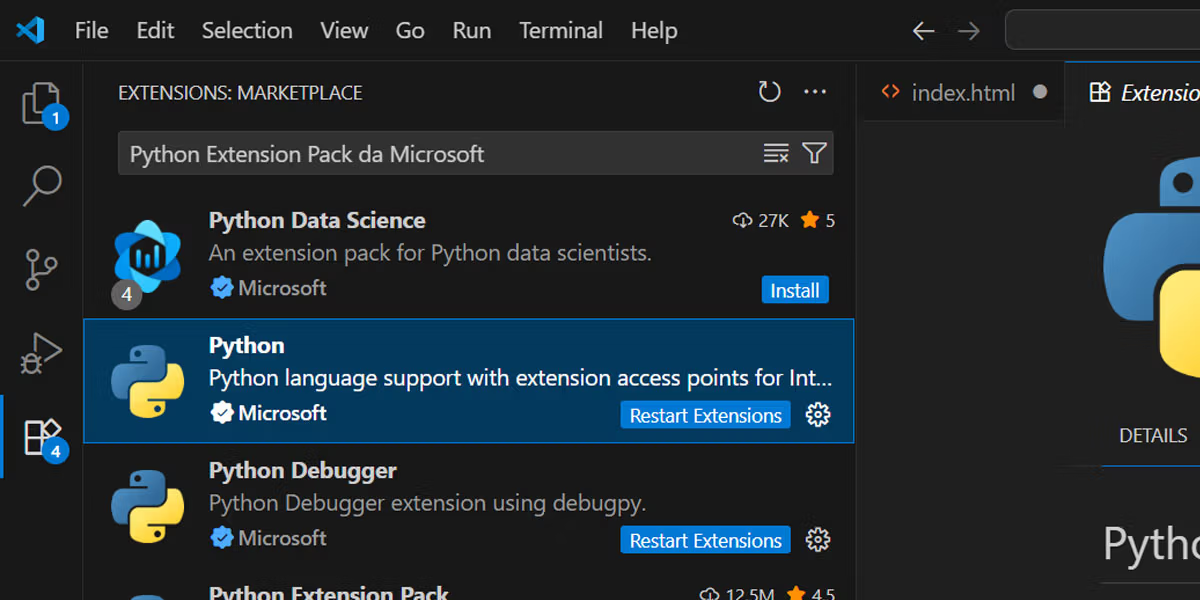
1. Python Extension by Microsoft
The Python extension is the most important extension for Python developers.
Without it, VS Code lacks many essential Python features. This extension adds syntax highlighting, IntelliSense, debugging, linting, testing support, virtual environment management, and much more.
Key features include:
- Auto-completion suggestions
- Error detection
- Integrated debugging
- Jupyter Notebook support
- Code navigation
- Test discovery
Tip: Always keep this extension updated. Microsoft frequently improves Python support and performance.
If you still need help configuring VS Code, check out this VS Code setup guide.
2. Pylance
Pylance is the engine behind modern Python auto-completion in VS Code.
It provides fast and accurate IntelliSense features powered by Microsoft’s Pyright technology.
With Pylance, you get:
- Smarter code suggestions
- Type checking
- Function documentation previews
- Import recommendations
- Better navigation between files
Pylance is especially useful when working on large projects with many modules and dependencies.
If you want cleaner and more readable code, you should also learn about Python type hints.
3. Black Formatter
Formatting code manually wastes time. The Black Formatter extension solves this problem instantly.
Black automatically formats your Python code using a consistent style. It follows the famous idea:
“Any color you like, as long as it’s black.”
Benefits of using Black include:
- Consistent formatting
- Cleaner code reviews
- Fewer style debates
- Better team collaboration
Example before formatting:
def greet(name):print("Hello",name)After formatting:
def greet(name):
print("Hello", name)You can learn more about Python style practices in the official PEP 8 documentation.
4. Ruff
Ruff became one of the fastest-growing Python tools in recent years.
It combines linting and formatting features with extremely fast performance.
Ruff helps developers:
- Detect unused imports
- Find syntax issues
- Enforce coding standards
- Improve code quality
- Reduce common mistakes
Many developers now use Ruff instead of older tools because it is faster and simpler to configure.
Pairing Ruff with PEP 8 best practices creates a much cleaner workflow.
5. GitLens
Version control is essential for professional development. GitLens transforms VS Code into a much more powerful Git environment.
With GitLens, you can:
- See who changed each line of code
- View commit history
- Compare file versions
- Track code evolution
- Navigate repositories faster
This extension is especially useful when working in teams.
Instead of opening Git commands constantly, you can manage most tasks directly inside VS Code.
6. Jupyter
If you work with data science, machine learning, or analytics, the Jupyter extension is essential.
It allows you to run notebook cells directly inside VS Code.
You can:
- Visualize data
- Test code interactively
- Create reports
- Run machine learning experiments
- Combine code with explanations
This extension works perfectly with libraries like Pandas and NumPy.
For many developers, VS Code plus Jupyter completely replaced browser notebooks.
7. Error Lens
Error Lens makes debugging easier by showing errors directly inside your code.
Instead of checking the Problems panel repeatedly, you see issues instantly.
This improves productivity because:
- Errors become easier to spot
- You fix problems faster
- Warnings appear inline
- Code becomes easier to maintain
For beginners, this extension is extremely helpful because it reduces confusion during debugging.
If debugging still feels difficult, read this beginner debugging guide.
8. Docker
Docker skills became increasingly important for Python developers.
The Docker extension helps you manage containers directly from VS Code.
You can:
- Build containers
- Run applications
- Inspect images
- Manage deployments
- Debug containerized apps
This extension is excellent for developers working with APIs, cloud services, and production applications.
If you want to containerize your projects, check out this Python Docker guide.
9. Path Intellisense
Path Intellisense auto-completes filenames and folder paths while you type.
It may sound simple, but it saves a surprising amount of time.
Benefits include:
- Fewer typing mistakes
- Faster imports
- Improved navigation
- Cleaner workflow
This extension becomes especially useful in large projects with many directories.
It works great alongside projects that use Pathlib in Python.
10. Thunder Client
Thunder Client is a lightweight API testing extension.
Many developers use it instead of opening external applications for simple API requests.
You can:
- Test REST APIs
- Send GET and POST requests
- Inspect JSON responses
- Save collections
- Debug endpoints quickly
It is perfect for developers building APIs with Flask or FastAPI.
If APIs interest you, explore this FastAPI tutorial and this Flask guide.
Best VS Code Extension Setup for Beginners
If you are just starting with Python, you do not need dozens of extensions.
A clean beginner setup includes:
| Extension | Main Purpose |
|---|---|
| Python | Core Python support |
| Pylance | Auto-completion |
| Black Formatter | Code formatting |
| Error Lens | Error visibility |
| GitLens | Git integration |
This setup keeps VS Code lightweight while still giving you professional tools.
How to Install VS Code Extensions
Installing extensions is very simple.
- Open VS Code
- Click the Extensions icon on the sidebar
- Search for the extension name
- Click Install
- Reload VS Code if necessary
You can also install extensions directly from the VS Code Marketplace.
Pro Tip: Avoid installing too many extensions at once. Too many plugins can slow down VS Code.
Final Thoughts
Using the right VS Code extensions can completely change your Python development experience.
In 2026, Python developers need tools that improve speed, readability, debugging, collaboration, and automation.
The extensions covered in this guide help you:
- Write cleaner code
- Debug faster
- Stay organized
- Improve productivity
- Work more professionally
Start with the essentials first, then expand your setup based on your projects and workflow.
Small improvements in your development environment can save hundreds of hours over time.
Perguntas Frequentes (FAQ)
1. What is the best VS Code extension for Python?
The Python extension by Microsoft is the most important one.
2. Is Pylance necessary?
Yes. It improves auto-completion, type checking, and navigation.
3. Does Black Formatter slow down VS Code?
No. It usually runs very fast and improves workflow consistency.
4. What does Ruff do?
Ruff checks code quality and detects common coding mistakes.
5. Is VS Code good for beginners?
Yes. It is simple, lightweight, and beginner-friendly.
6. Can I use VS Code for data science?
Yes. The Jupyter extension works very well for data analysis.
7. Which extension helps with debugging?
Error Lens and the Python extension improve debugging.
8. Is GitLens free?
Yes. Most core GitLens features are available for free.
9. Do extensions affect performance?
Too many extensions can slow down VS Code slightly.
10. Can I build APIs in VS Code?
Yes. VS Code works perfectly with Flask and FastAPI projects.