Anyone can learn programming from scratch with a clear sequence, regular practice, and realistic projects. You do not need advanced mathematics, an expensive computer, or previous technical experience. You need to understand how problems become instructions and then practice expressing those instructions in code.
This guide presents a beginner roadmap: what programming is, which language to choose, what tools to install, which concepts to study, how to practice, and how to avoid the habits that make learning unnecessarily difficult.
What is programming?
Programming is the process of designing instructions that a computer can execute. A program receives input, applies rules, and produces output.
For example, a simple expense program may:
- ask for several amounts;
- convert the text into numbers;
- calculate a total;
- compare the total with a budget;
- display a result.
The code is only the final expression of that reasoning. Learning programming therefore means developing both problem-solving skills and language syntax.
Start with programming logic
Before memorizing many commands, learn the building blocks shared by most languages:
- values and variables;
- input and output;
- operators and expressions;
- conditions;
- loops;
- functions;
- collections;
- errors and debugging.
The guide to programming logic with Python explains algorithms, pseudocode, conditions, repetition, and decomposition with beginner examples.
Choose one language first
Beginners often lose time comparing languages instead of building skills. Pick one language that matches your goals and use it long enough to complete several projects.
Python is a strong first choice because its syntax is readable and it supports automation, data analysis, web development, testing, and many other areas.
name = input("What is your name? ")
print(f"Welcome, {name}!")
JavaScript is another practical choice for interactive websites. Java and C# are common in enterprise development. The best first language is one that lets you practice the kind of software that motivates you.
For a Python-focused path, read Python for beginners and the current Python learning roadmap.
Set up a simple development environment
You need three basic tools:
- a language runtime or compiler;
- a code editor or integrated development environment;
- a terminal.
Python includes an interactive shell and IDLE. Visual Studio Code and PyCharm provide code completion, debugging, project navigation, and integrated terminals.
The guides to installing Python, setting up VS Code, and installing PyCharm cover the practical setup steps.
Write your first program
Create a file named hello.py:
print("Hello, world!")
Run it from the terminal:
python hello.py
This tiny program teaches the complete edit-run-observe cycle. Every larger application follows the same basic feedback loop.
Learn variables and data types
Variables give names to values:
name = "Ava"
age = 28
height = 1.70
is_student = False
These values have different types: string, integer, float, and Boolean. Types determine which operations are valid.
next_age = age + 1
message = name + " is learning programming"
The guides to Python variables and data types provide practical examples.
Use conditions to make decisions
score = 82

if score >= 90:
    result = "Excellent"
elif score >= 70:
    result = "Passed"
else:
    result = "Keep practicing"

print(result)
Conditions allow programs to react to data. The tutorial on if, elif, and else covers comparisons, logical operators, nesting, and validation.
Use loops for repetition
for number in range(1, 6):
    print(number)
A for loop processes a sequence. A while loop repeats while a condition remains true.
attempts = 3

while attempts > 0:
    print(f"Attempts remaining: {attempts}")
    attempts -= 1
The Python loops guide explains both forms and their common control statements.
Break problems into functions
Functions give a name to reusable behavior:
def calculate_discount(price, rate):
    return price * (1 - rate)

final_price = calculate_discount(100, 0.15)
print(final_price)
Functions reduce duplication and make programs easier to test. Start extracting a function whenever one block performs a clear task or appears more than once.
The Python functions tutorial covers parameters, return values, scope, defaults, and type hints.
Learn the main collections
Collections store multiple values:
tasks = ["study", "practice", "review"]
coordinates = (10, 20)
unique_tags = {"python", "beginner"}
profile = {"name": "Ava", "level": "beginner"}
- Lists are ordered and mutable.
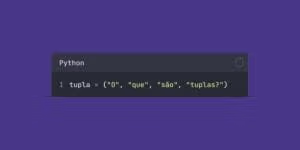
- Tuples are ordered and immutable.
- Sets keep unique values.
- Dictionaries map keys to values.
Choosing the correct structure is an important step toward clear code.
Expect errors and learn to debug
Errors are part of programming, not proof that you are failing. Read the final line of a Python traceback first, identify the file and line, then inspect the values involved.
value = "10"
print(value + 5)  # TypeError
The error tells you that a string and integer cannot be added. Convert the value or change the intended operation:
value = int("10")
print(value + 5)
The guide to common Python errors explains indentation, types, environments, exceptions, and organization.
Practice with small exercises
Reading creates familiarity; writing creates skill. After each concept, solve several short problems without copying the answer immediately.
Useful beginner exercises include:
- convert temperatures;
- calculate an average;
- check whether a number is even;
- count words in a sentence;
- find the largest value in a list;
- validate a password;
- build a multiplication table.
The collection of Python exercises with solutions provides structured practice.
Build projects early
A project combines several concepts and reveals gaps that isolated lessons do not show. Start with terminal programs before adding graphical interfaces or web frameworks.
Good first projects include:
- a calculator;
- a number guessing game;
- a quiz;
- a task list;
- an expense tracker;
- a file organizer;
- a contact book.
The important part is not originality. Finishing a small, understandable project teaches more than repeatedly starting ambitious applications.
A complete beginner project
def read_amount(prompt):
    while True:
        try:
            amount = float(input(prompt))
        except ValueError:
            print("Enter a valid number.")
            continue

        if amount < 0:
            print("The amount cannot be negative.")
            continue

        return amount

budget = read_amount("Monthly budget: $")
expenses = []

while True:
    description = input("Expense (blank to finish): ").strip()
    if not description:
        break

    amount = read_amount("Amount: $")
    expenses.append((description, amount))

total = sum(amount for _, amount in expenses)
remaining = budget - total

print("nSummary")
for description, amount in expenses:
    print(f"{description:<20} ${amount:8.2f}")

print(f"Total: ${total:.2f}")
print(f"Remaining: ${remaining:.2f}")
This program uses input, output, conversion, exceptions, functions, loops, lists, tuples, conditions, and formatting.
Learn Git after the basics
Git records changes to project files and lets you restore earlier versions. GitHub or similar services can host repositories and demonstrate your progress.
git init
git add .
git commit -m "Create first working version"
Begin using version control on small projects. Frequent, descriptive commits create a useful history and make experimentation safer.
How to study consistently
A sustainable weekly routine may include:
- two sessions learning new concepts;
- two sessions solving exercises;
- one longer project session;
- one short review of mistakes and notes.
Thirty focused minutes on most days is generally more effective than one exhausting session followed by a long break.
Use documentation effectively
Documentation is a normal development tool. Learn to search for the class, function, error message, or module you are using. Read examples, parameter descriptions, return values, and exceptions.
The official Python tutorial is a reliable reference for the language fundamentals. The standard library documentation shows what Python provides without external packages.
Avoid tutorial dependency
Tutorials are useful, but repeatedly copying complete projects can create the illusion of progress. Use this cycle:
- study a small concept;
- close the example;
- recreate it from memory;
- change one requirement;
- explain the code in your own words;
- build a related mini-project.
Struggling briefly before checking a solution helps you remember the reasoning.
Common beginner mistakes
- Trying to learn several languages at once.
- Watching lessons without writing code.
- Starting projects that are too large.
- Ignoring error messages.
- Copying code without understanding it.
- Comparing progress with experienced developers.
- Skipping fundamentals to chase advanced frameworks.
- Studying irregularly and expecting rapid mastery.
A practical learning order
- terminal, editor, and running files;
- variables, strings, numbers, and Booleans;
- input, output, and operators;
- conditions and loops;
- functions and scope;
- lists, tuples, sets, and dictionaries;
- files and exceptions;
- modules, environments, and packages;
- testing, debugging, and Git;
- projects in one chosen specialization.
Choosing a specialization
After the foundation, explore one direction:
- Automation: files, spreadsheets, email, APIs.
- Data: NumPy, Pandas, visualization, SQL.
- Web: HTML, CSS, JavaScript, Flask, Django, or FastAPI.
- Testing and tooling: pytest, linters, packaging, CI.
- Machine learning: statistics, data preparation, Scikit-Learn.
Specialization is easier after the core concepts stop consuming all your attention.
Conclusion
To learn programming from scratch, choose one language, understand the core logic, write code frequently, solve small exercises, and finish manageable projects. Treat errors as information, use documentation, and review your own work.
Progress comes from repeated problem-solving rather than memorizing every command. Build one working program, improve it, store it with Git, and then begin the next slightly harder project.